
 EN
EN
 English
 繁体中文
繁体中文 Italian
 Greek
Greek Spanish
 Hebrew
 Japanese
 Portuguese
 Korean
 Russian
 French
 German
 Arabic
Blog & Events
Follow NOVANEON for more valuable information to know early
Follow NOVANEON for more valuable information to know early
Sep 09Source: Views: 190
Installing a recessed optical LED linear profile presents a challenging task for many homeowners and contractors. This challenge becomes manageable with proper guidance and preparation. This Installation Guide walks through each phase, from tool gathering to final testing.
Readers need a clear procedure that prevents costly mistakes and delivers a professional finish. They should prepare their profile and LED strip before beginning. Following the sequence in order saves significant time and eliminates frustration. Each step builds upon the previous one, creating a logical workflow that reduces errors. The instructions prioritize accuracy and safety throughout the entire process.
· Measure twice and cut once. Accurate planning prevents costly mistakes.
· Match the profile depth to your LED strip's power. This ensures proper heat management and a long lifespan.
· Use a laser level for precise alignment. This guarantees a straight, professional-looking installation.
· Prevent voltage drop by using 24V strips and proper wire gauge. This keeps brightness uniform across the entire run.
· Always turn off power and test connections before finishing. This ensures safety and avoids rework.
Every successful recessed LED installation begins with proper tool preparation. A complete tool kit prevents mid-project interruptions and ensures clean, accurate work. The following table outlines the essential tools that professional electricians recommend for this task:
Tool | Purpose |
Voltage Tester (Non-Contact) | Confirm power is OFF before touching wires |
Drywall Saw or Hole Saw Attachment | Cut precise circles in the ceiling |
Wire Strippers/Cutters | Safely expose copper wires |
Screwdriver Set (Phillips and Flathead) | Secure junction boxes or clamps |
Tape Measure and Pencil | Mark exact center points |
Step Ladder (Sturdy) | Safely reach the ceiling |
Beyond these core items, installers also need a spirit level or laser level, a utility knife, a drill, an aluminum cutting saw, and sanding tools. A laser level deserves special attention because even a small deviation becomes noticeable with long linear lights. Professional installers consistently highlight this tool as essential for achieving perfectly straight runs across extended ceiling or wall sections.
Selecting compatible components prevents overheating, poor light quality, and installation difficulties. The internal channel width must exceed the strip width. Standard LED strip widths include 8mm, 10mm, 12mm, and 20mm, so measuring both components before purchase remains critical.
Profile depth significantly affects light quality. Shallow channels, such as 9x17mm, may show LED hotspots. Deeper channels, like 36x24mm, allow light to diffuse through the cover and produce a uniform glow without visible dots. For deep channels, pairing with high-density strips (120 LEDs/m or more) and a frosted cover creates dot-free light bands suitable for living room coves or hotel lobbies.
The following technical parameters guide proper strip selection:
Technical Parameter | Why It Matters | Selection Impact |
Thermal dissipation | Controls LED lifespan | Determines required aluminum mass and profile depth |
Profile depth | Affects light uniformity | Deeper profiles allow lower LED density strips |
Strip width | Determines channel compatibility | Internal width must exceed strip width |
Power density | Generates heat | Higher power strips require larger profile volume |
LED spacing | Affects diffuser performance | Tighter spacing needed for shallow profiles |
Electrical load | Voltage drop in long runs | Requires space for wiring and dual-feed layouts |
Higher-power LED strips generate more heat, so larger aluminum profiles with better heat dissipation designs become necessary. A small profile may not provide enough cooling for powerful strips. This Installation Guide emphasizes checking all compatibility factors before purchasing to avoid costly returns and rework.
Accurate measurement determines the success of the entire recessed LED installation. Installers must measure the installation area carefully before cutting any material. The chosen method, trimless or mud-in, changes the measurement approach significantly. Trimless installations require a finished opening that matches the profile's outer dimensions exactly. Mud-in installations need additional space for joint compound and mesh tape around the profile edges.
Installers should map the entire layout on paper before touching any tools. This planning phase prevents wasted material and ensures clean alignment. Standard profile lengths typically range from 6.5 to 10 feet, so matching planned runs to stock sizes reduces cutting waste. For longer runs, installers should plan seams at logical points, such as corners or transitions between ceiling sections.
Driver placement deserves attention during this planning phase. The driver needs accessible locations for future maintenance. Installers should identify a nearby junction box or cabinet space that allows easy access without disturbing the finished ceiling. This decision affects wire routing and determines how much lead wire the LED strip requires at each end.
The layout must also account for ceiling joists and other structural elements. Installers can use a stud finder to map joist positions before finalizing profile placement. Avoiding joists during the planning phase eliminates difficult cutting later. For wall installations, the same principle applies to wall studs and electrical conduits.
Precise marking translates the planned layout onto the actual ceiling surface. Installers should use a laser level to project straight reference lines across the installation area. A chalk line works well for shorter runs, but laser projection provides greater accuracy for extended linear installations.
The marking process follows a logical sequence. First, installers mark the centerline of the planned profile position. Second, they measure outward from this centerline to mark both edges of the cutout. Third, they verify each measurement against the profile's actual dimensions rather than relying on memory.
Installers should mark the cutout dimensions slightly smaller than the final opening. This approach allows fine adjustment during installation. Sanding or filing the opening edges achieves the final fit. This Installation Guide recommends checking all markings twice before cutting. A mistake at this stage creates significant rework and potentially ruins the ceiling surface.
Precision cutting determines how well the profile seats in the opening. A miter saw fitted with a fine-tooth carbide blade designed for aluminum delivers straight, accurate cuts with clean edges. This setup also supports 45-degree angle cuts for corner installations. For blade selection, installers should choose a carbide-tipped blade with 60 to 100 teeth, using 100 or more for heavier profiles. Triple-chip grind tooth geometry and a zero or negative hook angle prevent grabbing and kickback during operation.
A hacksaw works acceptably for small DIY jobs, though it produces rougher edges. Installers should measure twice and mark the cut line with a square ruler to ensure perpendicular alignment. Securing the profile with a clamp or miter box prevents movement during cutting. The cutting technique requires slow, steady pressure without excessive force, which avoids bending the profile or creating uneven edges.
After cutting, deburring protects the LED strip and diffuser from damage. A file or sandpaper removes burrs and sharp corners from the cut edge. This step prevents the aluminum from slicing through the strip's protective coating during installation.
The opening method determines how the profile integrates with the surrounding ceiling surface. Trimless installations require a finished opening that matches the profile's outer dimensions exactly. Mud-in installations need additional space for joint compound and mesh tape around the profile edges.
Installers should mark the cutout dimensions slightly smaller than the final opening. This approach allows fine adjustment during installation. A drywall saw or hole saw attachment cuts the initial opening. Sanding or filing the opening edges achieves the final fit.
The Installation Guide recommends checking the profile's actual dimensions against the marked opening before cutting. A profile that fits too loosely creates alignment problems. One that fits too tightly requires additional sanding that generates dust and slows progress. Careful preparation at this stage prevents frustration during the mounting phase.
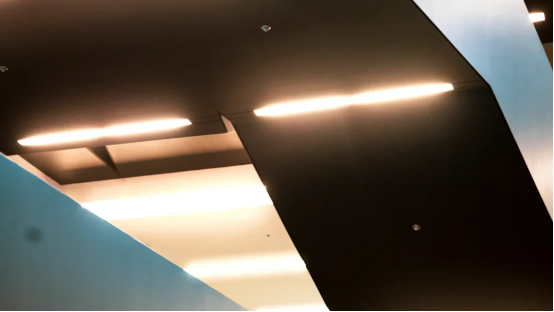
The mounting phase determines whether the finished installation sits flush and remains stable for years. For recessed installations in drywall ceilings, the manufacturer recommends high-tension metal spring clips. These clips expand inside the ceiling void and generate constant upward tension. That tension holds the profile firmly against the drywall surface, preventing sagging or movement over time.
Installers should position spring clips at regular intervals along the profile length. A spacing of approximately 16 to 24 inches works well for most standard installations. The clips slide into the profile's internal channels before the installer pushes the assembly into the opening. Once inserted, the clips spring outward and grip the backside of the drywall, creating a secure mechanical lock.
The profile must seat evenly across its entire length. Installers should press along the profile gradually, working from one end toward the other. This technique prevents one section from seating while another remains proud of the ceiling surface. A rubber mallet can help seat stubborn sections without damaging the aluminum finish. Checking alignment with a level during this process catches minor deviations before they become visible problems.
For mud-in installations, the process differs slightly. Installers embed the profile into joint compound and reinforce the edges with mesh tape. The profile must sit at the correct depth relative to the finished ceiling surface. A slight recess allows the mud to feather smoothly over the edges, creating a seamless transition between the aluminum and the surrounding drywall.
Heat management determines how long the LED strip delivers reliable illumination. The aluminum profile functions as a passive heat sink, drawing thermal energy away from the LED chips. However, the complete thermal path includes every material between the LED junction and the surrounding air.
In a narrow recessed channel, sealed cabinet, or display niche, warm air can remain trapped around the aluminum profile. The profile effectively transfers heat from the LED strip into itself, but the surrounding enclosed structure then becomes the next thermal bottleneck. This creates a thermal-resistance problem across the complete heat path. As operating time increases, heat accumulates inside the cavity, raising the temperature of the LED strip, adhesive layer, connectors, and nearby materials. The risk grows where airflow is restricted or where the profile sits surrounded by materials that release heat slowly.
Thermal interface materials bridge the gap between the LED strip's backing and the aluminum channel. Air pockets act as insulators, so filling those gaps improves heat transfer. The following table presents common thermal interface materials and their reported thermal conductivity ranges:
Material Category | Reported Thermal Conductivity Range (W/m·K) |
Standard thermal grease | 1 – 5 |
Phase-change material | 3 – 8 |
Thermally conductive gap pad | 1 – 15 |
Graphite sheet (in-plane) | 5 – 800 |
Indium foil | 80 |
Solder (Sn63/Pb37) | 50 |
Diamond-filled compound | 10 – 30 |
For moderate power density applications such as standard PC CPUs and LED lighting, thermal interface materials with a thermal conductivity (λ) of at least 1 W/m·K are considered adequate.
Temperature directly affects LED lifespan. A 10°C increase in junction temperature can reduce LED lifetime by up to 50%. At a junction temperature of 60°C, estimated lifespan reaches 50,000+ hours. At 80°C, that estimate drops to roughly 30,000 hours. At 100°C, lifespan falls below 15,000 hours. Driver capacitors suffer similarly, with life reduced by approximately 50% for every 10°C increase above rated temperature.
Current derating offers one effective thermal management technique. Reducing LED operating current to 80% of nominal can lower junction temperature by 20 to 30 degrees Celsius. This reduction occurs because power dissipation drops by 36% under this derating condition. This Installation Guide recommends considering derating for installations in enclosed spaces with limited ventilation, where passive cooling alone may prove insufficient.
Voltage drop represents one of the most common causes of uneven brightness in recessed LED installations. Electrical resistance in long wire runs reduces the voltage available at the far end of the strip. This reduction causes LEDs at the end to appear dimmer than those near the power source. Understanding this phenomenon prevents disappointing results.
The following table outlines common wiring errors that lead to voltage drop or complete system failure:
Wiring Error | Consequence | Recommended Fix |
Using wrong power supply (e.g., 12V supply for 24V strip) | Strip won't work or components burn out | Calculate total wattage and add 20–30% headroom |
Ignoring voltage drop on long runs | Dim LEDs at the far end | Limit run length; inject power every 5m (12V) or 10m (24V) |
Poor soldering or cheap connectors | Loose joints cause intermittent failure or complete loss of power | Use high-quality connectors or direct soldering |
Long runs without voltage injection | Uneven brightness across the strip | Use shorter runs or inject power at both ends |
Reversed polarity | LEDs do not light up at all | Double-check connections and test with a multimeter |
Maximum run length depends on the system voltage. Constant voltage systems have specific limits:
Voltage | Maximum Run (Constant Voltage) |
12V DC | 16 ft (5 m) |
24V DC | 32 ft (10 m) |
Constant current systems allow longer runs. A DC24V constant current strip can reach 20 m while maintaining uniform brightness. A DC48V constant current strip can extend to 50 m (164 ft) when powered from one end. The following table presents maximum single-feed runs for constant current systems:
Voltage (DC) | Maximum Single-Feed Run (Constant Current) |
24V | 20 m–30 m (65.6 ft–98.4 ft) |
36V | 30 m (98.4 ft) |
48V | 60 m (197 ft) |
Several strategies help manage voltage drop effectively:
· Choose 24V or higher LED strips for long runs.
· Use thicker wire (12–14 AWG) to carry power over distance.
· Centralize or dual-feed the power supply to reduce the longest run.
· Inject power at multiple points, especially in RGB setups.
· Use amplifiers or repeaters for control consistency over long RGB runs.
· Split large installations into zones, each with its own power and control.
· Calculate total wattage and add 20–30% headroom on the power supply.
· Use quality LED strips with thick copper PCB (2 oz or higher) and good voltage tolerance.
The LED Strip Voltage Drop Calculator helps installers determine proper wire gauge. Users input the strip voltage (12V, 24V, or 5V), total amperage drawn by the strip, wire gauge (AWG), and wire length from the power supply to the strip. The tool calculates the voltage drop in the supply wire and provides the percentage drop and actual voltage at the strip. Acceptable drop thresholds remain below 3% for LEDs.
Driver placement requires careful planning during the layout phase. The driver needs accessible locations for future maintenance. Installers should position drivers near junction boxes or inside accessible cabinets. This placement allows easy replacement without disturbing the finished ceiling. Hidden drivers behind sealed drywall create significant problems when they fail.
Proper connectors ensure reliable performance and protect against environmental damage. The installation environment determines which connector type suits the application. The following table presents recommended connector options:
Environment / Use Case | Recommended Connector Type | Key Protection Feature |
Indoor dry areas (e.g., cabinets, shelves) | Solderless clip connector (IP20) | Fast installation, no moisture risk |
General outdoor use (patios, facades, signage) | IP65/IP67 waterproof strip-to-wire connector | Balances moisture protection with ease of installation |
Landscape / garden lighting | IP67 connector + junction box | Resists soil moisture and irrigation exposure |
Poolside or splash zones | IP67/IP68 connector with protected junction box | Handles splash, humidity, and cleaning water |
Marine or high-humidity environments | IP68 cable connector or gel-filled connector | Withstands salt spray, vibration, and corrosion |
Submerged or standing water conditions | IP68 or fully sealed junction box system | Provides maximum water ingress protection |
Direct soldering provides the most reliable connection for permanent installations. Soldered joints resist vibration and maintain consistent electrical contact. High-quality solderless connectors offer convenience for installations requiring future disassembly. Installers should avoid cheap connectors that create loose joints and intermittent failures.
Polarity checking prevents a common installation error. Reversed polarity prevents LEDs from lighting at all. A multimeter verifies correct connections before applying power. This simple test saves significant troubleshooting time.
This Installation Guide emphasizes turning off power at the circuit breaker before making any electrical connections. A non-contact voltage tester confirms the circuit is dead. Working on live circuits creates serious safety hazards.
Wire stripping requires the correct tool for the wire gauge. Wire strippers remove insulation without nicking the copper conductor. Damaged conductors create hot spots that may fail over time. Proper strain relief prevents wires from pulling loose at connection points.
Installers should test the system after completing all connections and before securing the profile permanently. This test verifies correct polarity, uniform brightness, and proper driver operation. Testing at this stage allows corrections while components remain accessible.
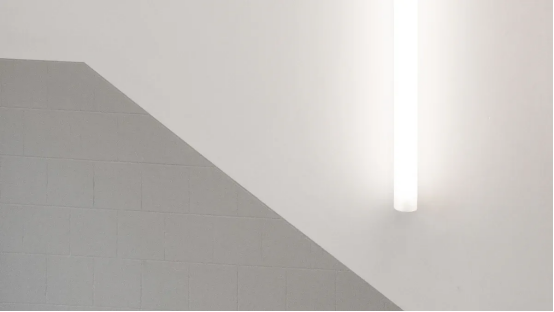
Proper strip seating ensures even light distribution and reliable thermal transfer. Installers must clean the aluminum channel interior before placement. Dust and debris create gaps that trap heat and cause brightness variations. The strip's adhesive backing sticks best to a clean, dry surface.
Installers should peel the liner gradually while pressing the strip into the channel. This technique prevents air bubbles and ensures full adhesive contact. The strip must sit flat against the channel floor. Any lifting section loses thermal contact and runs hotter than surrounding areas.
Diffuser selection directly affects the final light quality. The choice depends on the desired balance between brightness and uniformity. The following table compares common diffuser options:
Diffuser Type | Light Transmission | Dot Visibility | Effect on Uniformity |
Clear (Transparent) | 90% – 95% | High (LED chips fully visible) | Minimal diffusion; LED points remain visible, leading to poor uniformity. |
Milky (Opal/Frosted) | 70% – 85% | Low to None (depending on channel depth) | Scatters light to homogenize the beam, significantly reducing hotspots and improving uniformity. |
Black (Smoked) | 30% – 40% | Zero (Completely hidden) | Completely obscures LED points but sacrifices brightness; used for mood lighting rather than uniform task light. |
Material choice matters for long-term performance. PMMA offers high transmission around 92% and excellent UV resistance. This material maintains optical clarity for over ten years. Polycarbonate provides high impact resistance but slightly lower clarity near 88%. PVC has lower transmission around 80% and yellows within one to two years under UV exposure. For permanent installations, PMMA delivers the best long-term value.
The diffuser snaps into the profile's retaining lips after strip placement. Installers should start at one end and press the diffuser in gradually. Working along the length prevents bending or cracking the cover. A rubber mallet helps seat stubborn sections without damaging the diffuser surface.
Testing reveals any remaining uniformity issues. Installers should power the system and inspect the light band from a normal viewing angle. Uneven brightness indicates poor strip seating or an incorrect diffuser choice. If hotspots appear with a clear diffuser, swapping to a frosted version often solves the problem. This simple replacement improves light quality without changing the strip or profile.
This Installation Guide recommends checking the full length for dark sections or bright spots. A successful installation produces a smooth, continuous light band without visible LED points. Any defects at this stage require immediate correction before final ceiling finishing.
Many installers rush the measurement phase and pay for it later. A common error involves marking cutout dimensions from memory rather than checking the profile's actual width. Profiles vary slightly between manufacturers. A cutout cut too wide leaves gaps that require unsightly caulking. A cutout cut too narrow forces installers to sand the opening while the profile sits partially inserted, creating dust that contaminates the adhesive backing.
Another frequent mistake concerns cutting aluminum without proper deburring. Sharp edges slice through LED strip coatings during installation. This damage exposes copper traces and creates short circuits. Installers should file every cut edge before attempting strip placement. A related error involves cutting profiles with blades designed for wood. These blades grab the aluminum, producing rough edges and dangerous kickback. A fine-tooth carbide blade with 60 to 100 teeth cuts cleanly without binding.
Planning errors also appear when installers ignore ceiling joist locations. Cutting through a joist weakens the structure and creates code violations. A stud finder prevents this mistake during the layout phase. Installers should also verify that planned seams align with logical transition points rather than mid-span locations where they become visible.
Electrical mistakes account for most failed installations. Reversed polarity prevents LEDs from lighting entirely. A quick multimeter check before securing the profile saves hours of troubleshooting. Another common error involves underestimating voltage drop on long runs. A 24V strip running beyond 32 feet from the power source dims noticeably at the far end. Installers should calculate total wattage and add 20–30% headroom when selecting a driver.
Thermal management failures appear when installers choose undersized profiles for high-power strips. A shallow channel cannot dissipate heat from dense LED arrays. The resulting high junction temperatures shorten LED lifespan dramatically. A 10°C increase in junction temperature can reduce LED lifetime by up to 50%. Installers should match profile depth to strip power density before purchasing components.
Poor thermal contact between strip and channel creates another hidden problem. Air pockets act as insulators, trapping heat at the LED junction. Cleaning the channel interior and pressing the strip firmly into place ensures proper thermal transfer. This Installation Guide recommends testing the system before final ceiling finishing. A brief power test reveals brightness variations and heat issues while components remain accessible for correction.
Electrical hazards present the most serious risks during recessed LED installations. Installers face several common dangers that require careful attention. Overcurrent occurs when multiple strips connect in parallel beyond load limits, causing PCB overheating. Ignoring polarity by reversing live and neutral wires increases electric shock risk and can damage components. Water ingress creates short circuits when low IP-rated strips install in wet or outdoor areas. Mounting strips on heat-sensitive surfaces without ventilation creates fire hazards. Incompatible dimmers cause flickering and abnormal heating. Testing without disconnecting power presents the highest risk of electric shock.
The following hazards commonly appear during installation work:
· Electric shock from contact with live wires
· Short circuits from improper connections
· Overloaded circuits due to undersized wiring
· Improper fuse ratings leading to protection failures
· Fire hazards from overheated components
· Falls or injuries while working at heights
Installers must turn off power at the circuit breaker before touching any wiring. A non-contact voltage tester confirms the circuit is dead. Proper wire gauge selection prevents overload conditions. Fuses must match the manufacturer's specifications for the driver and strip combination. Working from a stable ladder reduces fall risks during ceiling installations.
Aluminum profiles feature sharp edges that can cause serious cuts during cutting and handling. Proper personal protective equipment prevents injuries that commonly occur during installation. The following equipment protects against the most frequent hazards:
· Impact-resistant safety glasses with side shields meeting ANSI Z87.1 standards
· Cut-resistant gloves rated Level 3 or higher per EN 388 standards
· Long-sleeved, flame-resistant clothing to protect against hot chips
· Steel-toe boots with slip-resistant soles for workshop safety
Installers should wear full-face shields for high-volume cutting operations. Elbow-length arm guards protect forearms from flying debris when working with short sleeves. Hot aluminum chips can reach temperatures between 150 and 200 degrees Celsius, so flame-resistant cotton or blended clothing provides essential protection.
Deburring every cut edge immediately after cutting reduces injury risk during subsequent handling. Installers should store cut profiles with protective caps or covers until ready for mounting. This Installation Guide recommends keeping a first-aid kit nearby during the entire process. Proper handling techniques, combined with appropriate protective equipment, allow installers to complete the job safely.
This Installation Guide has walked through every critical phase, from measuring and cutting to wiring and final testing. Each step builds on the previous one, creating a reliable workflow that prevents costly errors.
Careful measurement remains the foundation of a professional result. Installers should verify all dimensions twice before cutting. Using the correct tools prevents damage to materials and ensures clean edges. Turning off power before any electrical work protects both the installer and the components.
Patience pays dividends throughout this process. Double-checking each connection and alignment before proceeding saves significant time later. With this guide, anyone can achieve a clean, professional-looking recessed LED installation that delivers uniform, reliable illumination for years. Share results or ask questions in the comments below.
Yes. High-tension metal spring clips expand inside the ceiling void and grip the backside of drywall. This method works for retrofit installations without removing existing surfaces. Mud-in installations also work on existing drywall by embedding the profile into joint compound with mesh tape reinforcement.
A miter saw with a fine-tooth carbide blade cuts 45-degree angles for corner installations. Installers should plan seams at logical transition points such as corners. This approach creates clean alignment and reduces visible joints along straight runs.
Hotspots appear when the profile depth is too shallow for the LED density or when using a clear diffuser. Swapping to a frosted or opal diffuser scatters light and eliminates visible LED points. Deeper channels also allow lower-density strips without sacrificing uniformity.
Yes, but maximum run length depends on system voltage. A 24V strip runs up to 32 feet from one power source before voltage drop causes dimming at the far end. Installers should calculate total wattage and add 20–30% headroom when selecting a driver.
The LED driver must support dimming functionality. Incompatible dimmers cause flickering and abnormal heating. Installers should verify driver-dimmer compatibility before completing the installation. Testing the dimming function during the initial power test prevents frustrating troubleshooting after ceiling finishing.
Please provide the following detailed information so that our business representatives can better understand your needs and get in touch with you as soon as possible.